
Before you start Googling “best laptop for virtual assistants” and falling down a rabbit hole of expensive gear you don’t actually need — stop. Read this first.
One of the biggest things that holds beginners back from taking the leap into remote work for moms is the belief that they need to have everything set up perfectly before they can start. The right laptop. The right software. A dedicated home office. A professional website.
You don’t need most of that. At least not at the beginning. And if you’re looking for flexible jobs for moms that don’t require a big investment upfront, VA work is one of the most accessible — partly because the startup cost is genuinely low.
I started my VA career from wherever I could put my laptop down. The living room chair. The floor. In bed after the kids were asleep. The kitchen when it was the only quiet spot available. No dedicated desk, no ring light, no perfectly curated background. Just a laptop, a stable connection, and the work that needed to get done.
In this post, you’ll get the real list — what you actually need, what’s optional, what you can skip entirely, and what to invest in once you’re earning.
The Only Three Things You Truly Cannot Start Without
Before we get into tools and software, let’s talk about the non-negotiables. These are the things no amount of workaround will replace.
1. A Working Computer or Laptop
It doesn’t have to be new. It doesn’t have to be a MacBook. It needs to be able to run a browser, open documents, and handle video calls without crashing mid-meeting.
If your current laptop is slow, try clearing storage and closing background apps first — you might be surprised how much it helps. If you’re in the Philippines, a secondhand unit in the ₱10,000–₱15,000 range can get you started, and new budget laptops are now available from around ₱20,000–₱25,000 — much more accessible than they used to be. In the US, UK, or Canada, a refurbished laptop in the $200–$400 range works fine for most VA tasks.
What matters: at least 4GB RAM (8GB is better), a working webcam, and enough storage to run the apps you’ll use daily.
2. A Reliable Internet Connection
This is the one area worth investing in before anything else. Slow or unstable internet is the fastest way to damage a client relationship — dropped Zoom calls, delayed responses, failed file uploads.
If your home connection is unstable, have a mobile data backup ready. A prepaid data SIM for backup isn’t an expense, it’s insurance.
3. A Professional Email Address
A Gmail address with your name — not a username from 2009 — is enough to start. Something like yourname@gmail.com is professional and free. You don’t need a custom domain email until you’re established.
4. A Skill You Can Confidently Offer
This is the one most beginner VA guides skip — and it’s actually the most important item on this list. A laptop without a skill to sell is just an expensive device. The skill is what clients are paying for.
The good news? You probably already have one. You just haven’t called it a VA skill yet.
| What you call it | What clients call it |
|---|---|
| “I’m just organized” | Administrative support, calendar and inbox management |
| “I’m good at research” | Research VA, lead sourcing |
| “I make good presentations” | Presentation design, Canva VA |
| “I’m good on the phone” | Client communication, customer support |
| “I multitask well” | Operations support, project coordination |
| “I’m detail-oriented” | Proofreading, data entry, quality checking |
| “I love social media” | Social media management, content scheduling |
| “I’m good at writing” | Content writing, caption writing, email drafting |
That’s already a skill. Name it. Own it. Offer it.
If you don’t feel confident in any skill yet — that’s okay too. Pick one, learn it properly (YouTube tutorials, free platform certifications), apply it on a practice project, and save your output. More on this below.
5. A Portfolio Showing That Skill
In 2026, a portfolio isn’t optional — especially with how competitive the VA market has become. Clients want to see what you can do before they hire you. The good news is it doesn’t have to be a website.
- A well-designed PDF works
- A Canva or PowerPoint presentation works
- A clean, professional Instagram or Facebook page showing your work counts
- Even a Google Drive folder with sample projects is enough to start
Pick the format that’s easiest for you right now and put something together. Something always beats nothing.
The Thing That Actually Gets You Hired

Let’s be honest about something the internet doesn’t say enough: the VA market in 2026 is competitive. There are individual freelancers AND agencies all going after the same clients. Having a laptop and a Gmail account is not enough to stand out anymore.
What gets you hired is a skill. And what proves you have that skill is a portfolio.
If you’re sitting here thinking “but I don’t have a skill” — I want to push back on that gently. Most moms who say this have never stopped to look at what they already do well. Go back to the table above and read it again. Being organized is a skill. Being good with people is a skill. Managing a household with a packed schedule and zero margin for error? That’s operations management.
The question isn’t whether you have a skill. It’s whether you can name it, develop it, and prove it.
Here’s the process that actually works:
Step 1 — Identify your skill (or pick one to learn) Start with what you already do well or what genuinely interests you. Don’t pick something just because it pays well if it drains you — you won’t stick with it.
Step 2 — Learn it properly Free resources exist for almost every VA skill:
- Canva has its own free certification called Canva Design School
- HubSpot Academy offers free certifications in content marketing, email marketing, and social media
- Google has free courses on Google Workspace, digital marketing, and more
- YouTube — seriously underrated for learning specific tools and workflows
- Coursera and Skillshare have free tiers with beginner-friendly content
Step 3 — Apply it before you have a client This is the step most beginners skip — and it’s the most important one. Don’t just watch tutorials. Do the thing.
Offer to manage social media for a friend’s small business for free for two weeks. Create a sample content calendar in Google Sheets. Design a mock media kit in Canva. Write three sample blog captions for a brand you like. Build a fake client inbox and organize it.
These are not fake projects. These are real proof that you can do the work.
Step 4 — Save everything Every graphic you make, every document you organize, every sample you create — save it. Screenshot it. Export it as a PDF. This is your portfolio building in real time, before you have a single paying client.
Step 5 — Then reach out to clients Now you have something to show. A portfolio. Proof. A reason for someone to say yes to you over the dozens of other beginners messaging them that same week.
The clients who hired me early didn’t hire me because I had a perfect setup. They hired me because I showed up, communicated well, and delivered what I said I would. But they had to take a chance on me first — and a portfolio is what makes that chance easier for them to take.
What You Actually Need to Work as a VA (The Real Starter List)
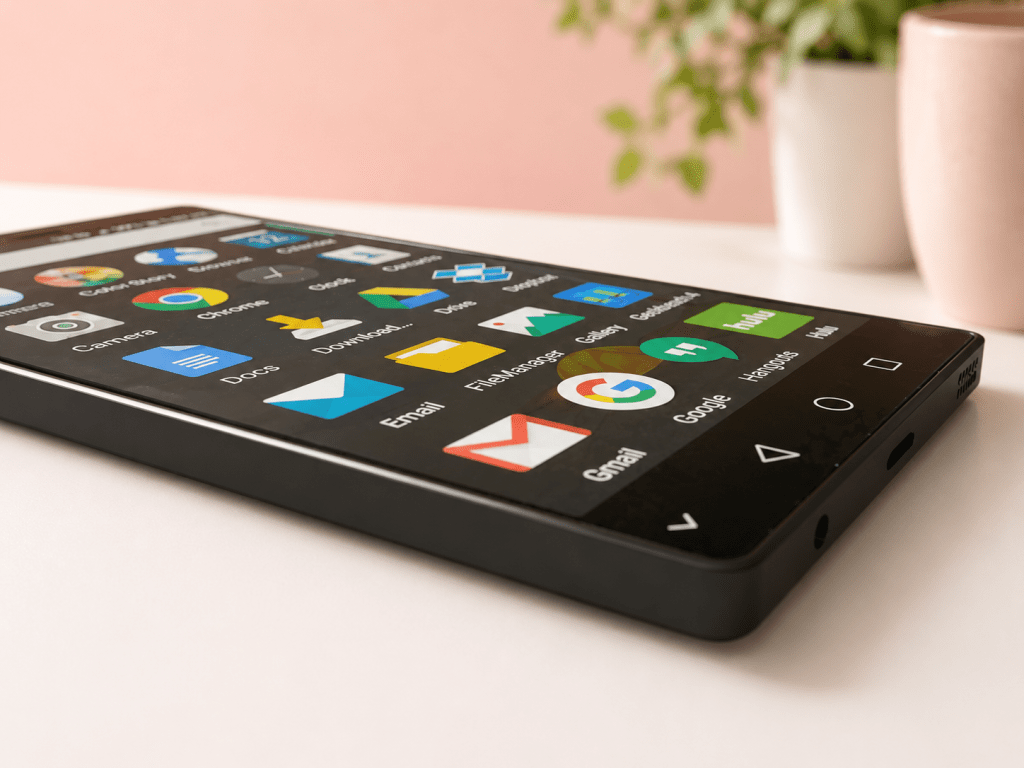
Everything below is free or low-cost. This is what beginners actually use — not what expensive VA courses tell you to buy.
Communication Tools
Gmail and Google Workspace (Free) Most clients work in Google’s ecosystem — Docs, Sheets, Slides, Drive, Calendar, Meet. Knowing how to navigate Google Workspace comfortably is one of the most valuable skills a beginner VA can have, and it costs nothing. Start here before any other tool.
Zoom (Free tier available) For client calls and onboarding meetings. The free tier limits calls to 40 minutes, which is usually enough for check-ins. Your client will often share their paid Zoom link anyway.
Slack (Free tier available) Many clients use Slack for day-to-day communication. It’s essentially a messaging platform for teams. Get familiar with it — knowing how to use Slack professionally is a small but noticeable signal to clients that you’re not a first-day beginner.
Task and Project Management
Trello (Free) A visual board-based task manager. Great for tracking your own work and for clients who organize tasks in card format. One of the easiest tools to learn with zero prior experience.
Notion (Free tier available) Slightly more powerful than Trello — used for notes, databases, wikis, and project tracking. Many clients store their SOPs (standard operating procedures) in Notion. Worth learning the basics even if you don’t use it daily yourself.
Asana (Free tier available) Used by larger teams and agencies to manage projects across multiple people. You likely won’t need this until you’re working with bigger clients — but it’s good to know it exists.
Design
Canva (Free tier available) If you’re doing anything remotely creative — social media posts, presentations, media kits, pin designs, document formatting — Canva is your tool. I use it daily and honestly think of it as my design buddy that never judges your beginner attempts. The free version is genuinely powerful. The Pro version (worth it eventually) unlocks templates, a brand kit, and background removal.
AI Tools
ChatGPT (Free tier available) Use it to draft emails, brainstorm content, write captions, organize your thoughts, or speed up research. If you’re offering writing, content, or admin services, knowing how to prompt ChatGPT well makes you faster and more efficient. I started using it at the end of 2024 — and honestly, I wish I had discovered it sooner. It changed how quickly I can get things done.
Claude (Free tier available) Similar to ChatGPT — great for drafting, summarizing, and organizing. I started using Claude in 2026 and now use both depending on the task. When I started as a VA, tools like these didn’t exist in the way they do now — so if you’re starting today, you already have an advantage I didn’t. Use them. Clients increasingly value VAs who know how to work with AI tools, and it genuinely makes you faster.
Time Tracking
Clockify (Free) If you’re billing by the hour, you need to track your time accurately. Clockify is free, simple, and what many beginner VAs use. Start tracking from your very first client — it builds good habits and protects you from underbilling.
Toggl (Free tier available) Another solid time tracking option — clean interface, easy to use, and syncs across devices. I personally used Toggl before switching, and it’s a great starting point especially if Clockify feels overwhelming. Both work well; it really comes down to preference.
File Storage and Sharing
Google Drive (Free) Store, share, and collaborate on files with clients. Most clients already use it. Keep your client work organized in clearly labeled folders — it’s a small thing that makes a big professional impression.
What’s Optional (But Worth Getting Eventually)
These are the things people often buy too soon. Wait until you’re earning before you invest.
Paid Canva Pro — worth it once you have consistent design clients. Not necessary to start.
A dedicated headset with microphone — helpful if you’re on frequent calls. A phone earpiece works fine to begin with.
Loom (free tier available) — a screen recording tool for sending video walkthroughs to clients. Useful once you’re onboarding regularly, not essential at the start.
A professional website — nice to have eventually, but not needed to land your first clients. Your portfolio PDF, social media profile, or Google Drive link is enough for now.
Project management tool subscriptions — use free tiers until a client specifically requires a paid feature.
An external monitor — nice to have, not needed. A laptop screen is fine.
What You Can Skip Entirely (At Least for Now)
A separate business phone number — not necessary. Use your personal phone or WhatsApp for now.
An LLC or formal business registration — this depends on your country and situation, but most beginner VAs don’t need to formalize their business structure until they’re earning consistently.
A home office room — your kitchen table works. Your bedroom desk works. What matters is a consistent space where you can focus, even if it’s a corner of a room.
Expensive VA courses — you can learn most foundational VA skills for free on YouTube, Google, and platforms like HubSpot Academy, Coursera, and Skillshare. Invest in courses once you know what specific skill gap you want to close.
How Much Does It Actually Cost to Start?
Here’s an honest breakdown for a beginner starting from scratch:
| Item | Cost |
|---|---|
| Laptop (secondhand) | ₱10,000–₱15,000 / $200–$400 |
| Laptop (new budget unit, Philippines) | ₱20,000–₱25,000 |
| Internet connection (monthly) | Already paying this |
| Gmail account | Free |
| Google Workspace (personal use) | Free |
| Canva Design School certification | Free |
| HubSpot Academy certification | Free |
| Canva (free tier) | Free |
| Zoom (free tier) | Free |
| Trello or Notion (free tier) | Free |
| ChatGPT or Claude (free tier) | Free |
| Clockify or Toggl (free tier) | Free |
| PayPal or Wise account | Free to create |
| Portfolio (PDF or Canva) | Free |
| Total to start (if you have a laptop) | $0 |
The honest truth: if you already have a working laptop and internet, you can start working from home as a VA today. Not next month. Not once you’ve bought the right tools. Today.
Getting Paid: Don’t Forget This Part
Before you land your first client, set up your payment method.
PayPal — widely accepted globally. Easy to set up, easy for clients to use. Fees apply on transfers, so factor that into your rate.
Wise (formerly TransferWise) — lower fees for international transfers, especially useful for Filipino VAs receiving USD or GBP. Many experienced VAs prefer Wise for this reason.
GCash / local bank — for local clients in the Philippines, these work fine.
Don’t wait until your first client asks “how do I pay you?” to figure this out. Have your payment details ready from day one.
Frequently Asked Questions
What do you need to become a virtual assistant?
The essentials are a working computer, a reliable internet connection, and a professional email address. Everything else — tools, software, platforms — is largely free to start with. Google Workspace, Canva, Zoom, Trello, and ChatGPT all have free tiers that are sufficient for beginner VA work.
Can I start VA work without expensive equipment?
Yes, absolutely. Most successful VAs started with a basic laptop and a stable internet connection. Expensive gear is not a prerequisite — your skills, reliability, and communication matter far more to clients than your equipment.
What apps do virtual assistants use daily?
The most common are Google Workspace (Docs, Sheets, Gmail, Calendar, Drive), Canva for design, Zoom or Google Meet for calls, Slack or WhatsApp for communication, Trello or Notion for task management, Clockify for time tracking, and increasingly ChatGPT or Claude for AI-assisted tasks.
Do virtual assistants need a home office?
No. A dedicated workspace is helpful for focus and professionalism during video calls, but it doesn’t need to be a separate room. A tidy corner of your kitchen, bedroom, or living space is enough to start. A clean, neutral background on camera is all clients actually see.
What laptop is good for virtual assistants?
Any laptop that can reliably run a browser, handle video calls, and open Google Workspace tools is sufficient for most VA tasks. Look for at least 4GB RAM (8GB preferred), a working webcam, and enough storage for your apps and client files. Refurbished units from reputable sellers are a budget-friendly option.
How much does it cost to start working as a VA?
If you already have a working laptop and internet connection, the startup cost is effectively $0 — most essential VA tools are free. The main investment is time: learning the tools, setting up your profiles, and finding your first client.
What is the difference between Trello, Notion, and Asana?
Trello is the most visual and beginner-friendly — great for simple task boards. Notion is more flexible and powerful — used for notes, databases, wikis, and complex organization. Asana is built for teams managing multiple projects — more common with larger clients. Start with Trello, learn Notion as you go, and pick up Asana when a client requires it.
You Have More Than You Think

If you’ve been waiting until you have the perfect setup to start working from home as a VA — this is your sign that the perfect setup doesn’t exist, and you don’t need it anyway.
What you need is a laptop that works, internet that holds, a skill you can name, and a portfolio that proves it. The tools will follow as you grow. The clients will follow as you show up.
Start with what you have. Learn what you need. Apply it before you feel ready. Save everything you make. And when you have something to show — reach out.
That’s the real list.
Read next: How to Become a Virtual Assistant From Home (Complete Beginner’s Guide for Moms) — once your setup and portfolio are ready, here’s exactly how to find your first client and get started.


Leave a comment